2026.01
At Samp, progress means making complex industrial data easier to use, not more complicated. With Shared Reality 2026.01, we’ve focused on sharpening everyday interactions with your sites – helping teams see faster, understand better, and act with greater confidence, whether they’re in the field or in the office.
Shared Reality 2026.01 is here!
This release introduces API-based automation for asset and 3D scan uploads, helping reduce manual work and keep information aligned across systems. A simplified scan upload process and a new Sites Management view provide clearer control over content across all sites.
The 3D experience is also enhanced, with smoother underground navigation and new measurement tools to better understand real site conditions.
Discover what’s new and see how Shared Reality helps teams move faster, with greater clarity and control.
Automate Assets & Scans uploads. All via APIs
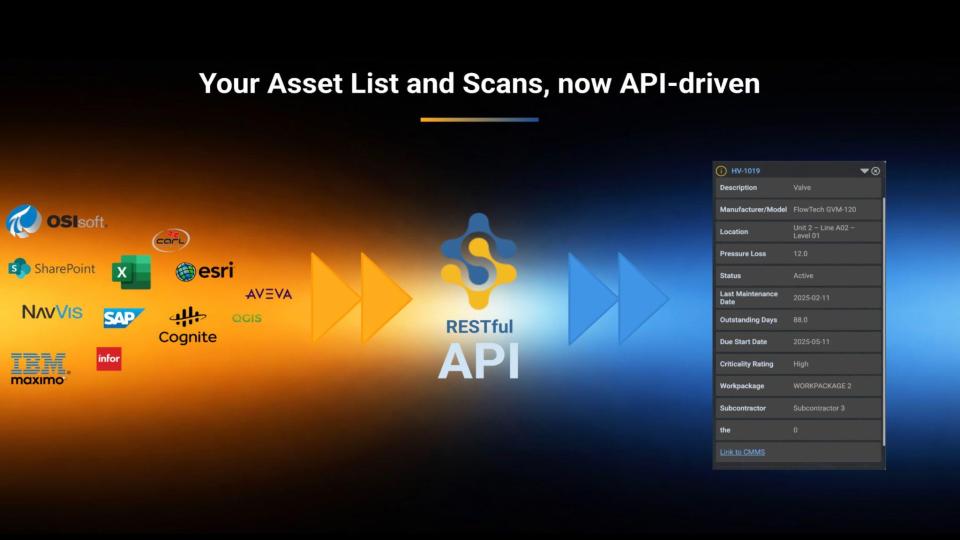
API key-protected RESTful APIs are now available to enable seamless integration with your Information Systems. Get full programmatic control over asset lists, as well as scan uploads with area management, reducing manual effort, improving data consistency and ensuring teams always work from the latest, most accurate pieces of information.
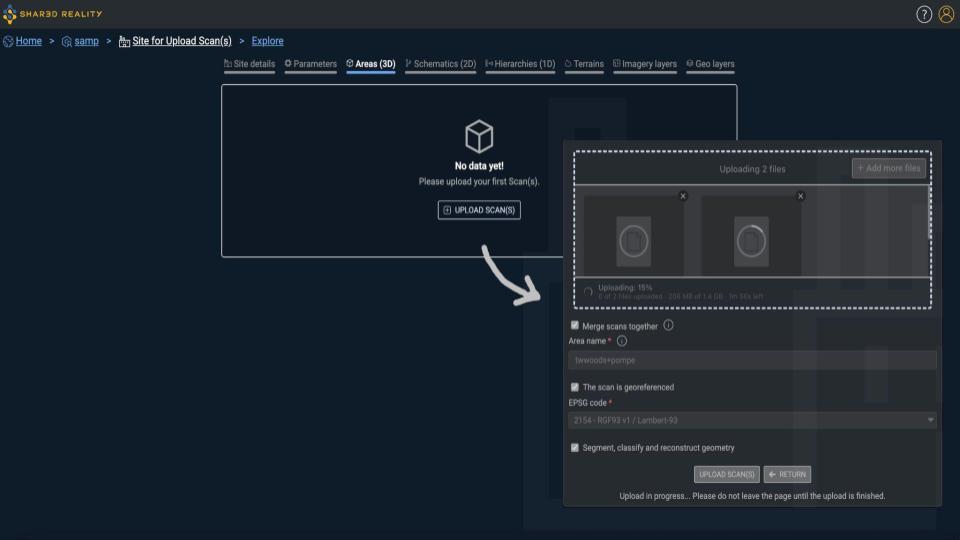
Unified Upload Scan(s)
Scan uploads are simplified with a single “Upload scan(s)” action, eliminating confusion between single and multiple uploads.
An option also allows scans to be merged into a single file, especially valuable for TLS (structured scan) workflows.
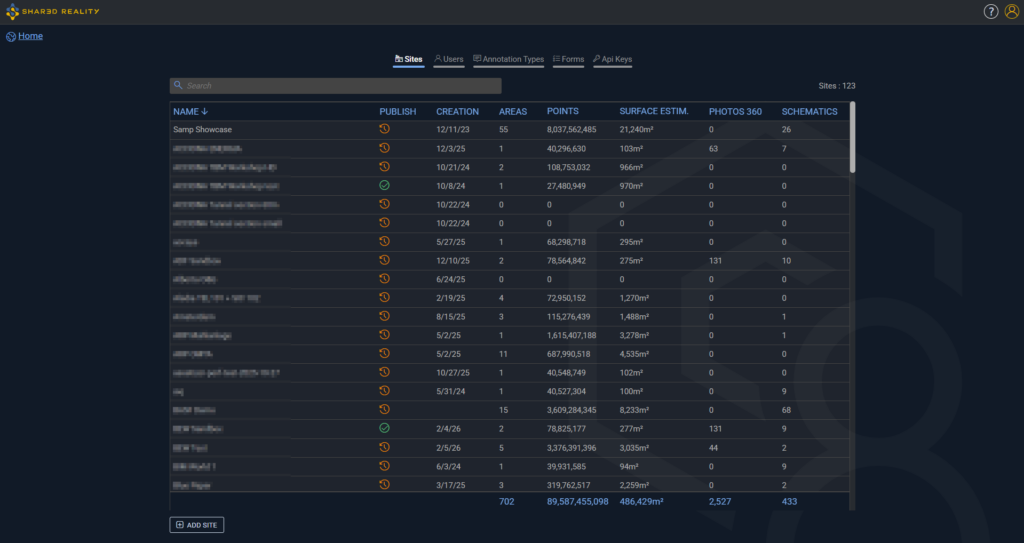
Manage all your sites at a glance
The new Sites Management tab provides administrators with a clear overview of all sites, including publication status, content progress (scans, schematics, 360° photos, estimated surface), and quick access to site administration.
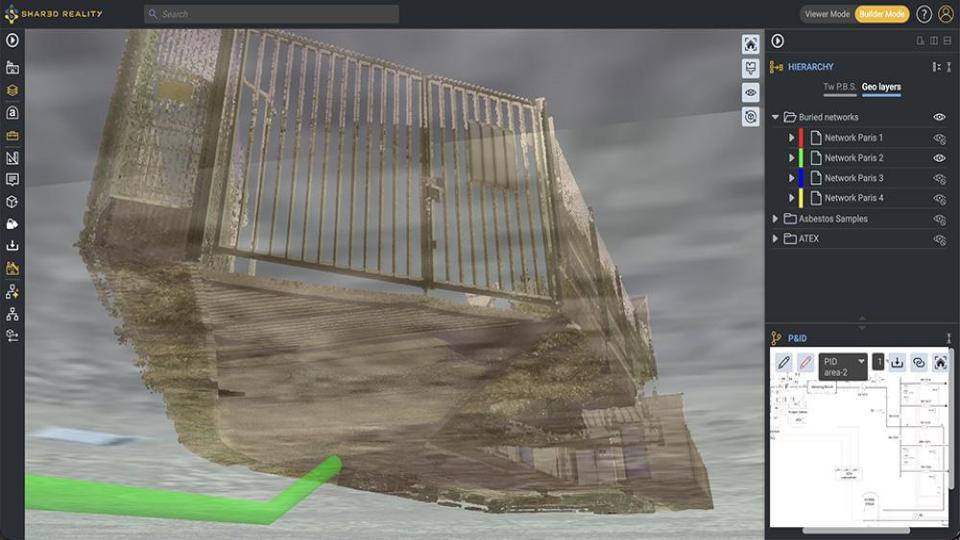
Navigate below ground with ease
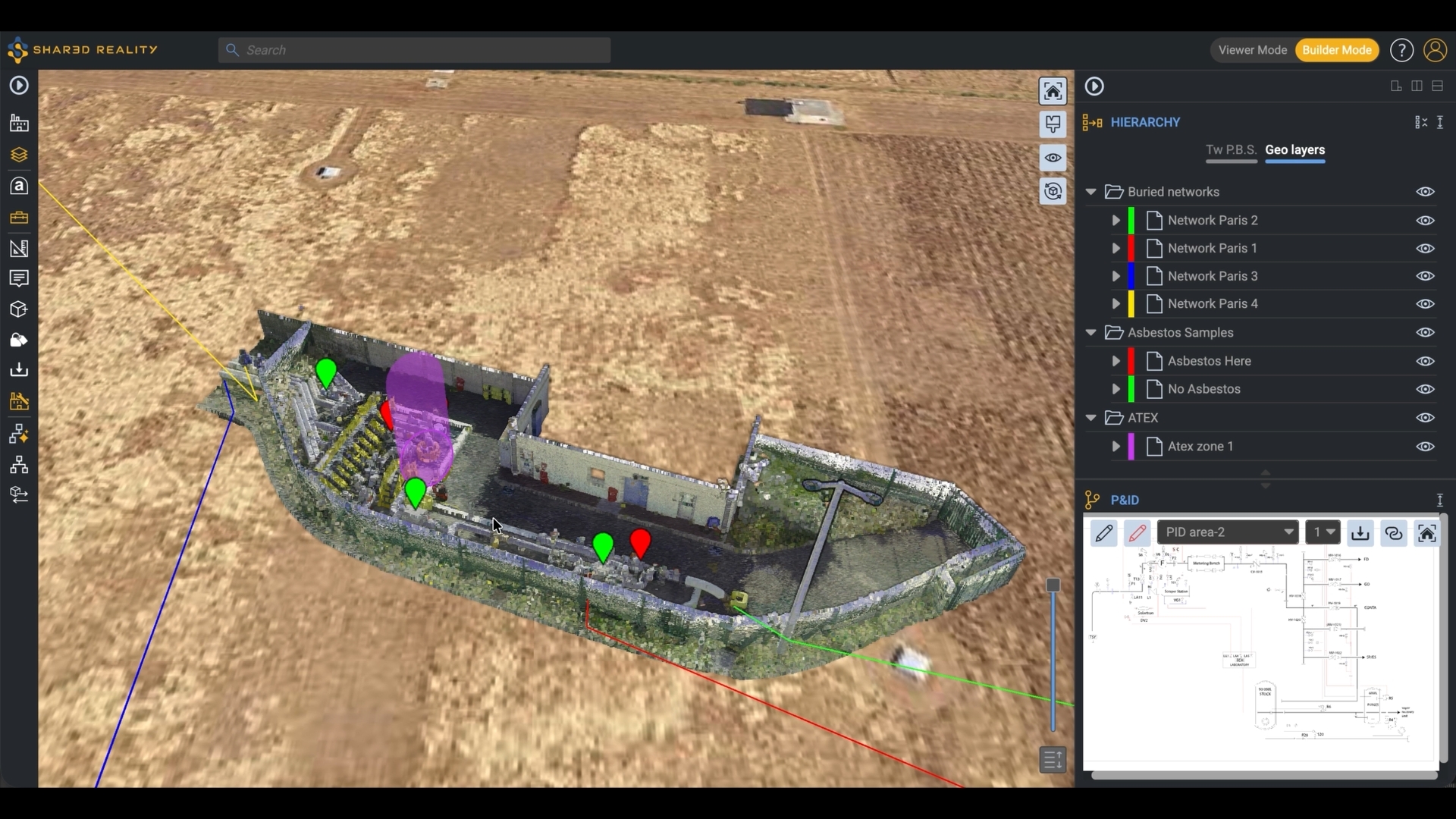
The ground or terrain now automatically fades to transparency when moving below ground level, enabling smooth exploration of underground areas while preserving spatial context.
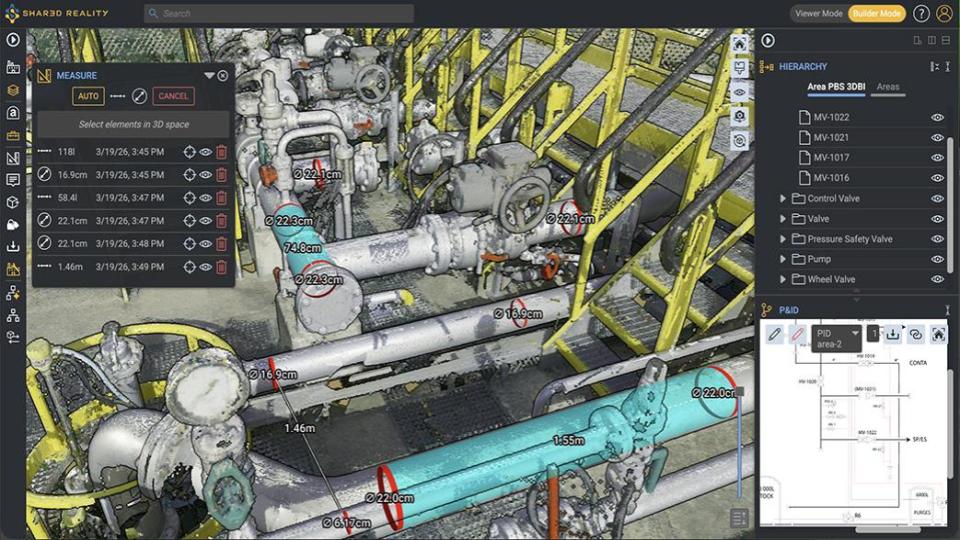
Pipe diameter and section volume measurement
Measure pipe diameters, pipe-to-pipe distances, clearances with walls or floors, and compute pipe section volumes directly from the 3D scan.
Additional Capabilities
- Inventory and hierarchy exports moved
Exports are now accessible from Site Administration, supporting larger inventories and hierarchies while reducing UI complexity. - Automatic upload retry on session or network issues
Uploads are now more resilient and automatically recover from common interruptions. - API: Areas complete upload
The Complete Upload endpoint for Areas now accepts “etags” and “upload_id” within the JSON body (instead of query parameters), supporting larger scan uploads. - Full support for 360° photo-only scans
Publish, suppress, and access details for photo-only areas just like any other area, providing greater flexibility and consistency in scan management. - Column sorting in admin tables
Each column in Site Administration and Company Administration tables can now be sorted, making it easier to find information. - Guidance when no data is available
The administration interface now provides clear guidance messages and displays only relevant actions, helping users understand what to do next without unnecessary options. - Rename schematics
Schematics can now be renamed directly from the Site Administration interface, simplifying management. - New information in area details
Area details now display the Assetizer version used and the number of areas generated by the scan upload (in Scan Metadata), improving traceability and transparency of AI-assisted results. - Horizontal and vertical line drawing in P&ID editing and redlining
2D tools now support precise horizontal and vertical line drawing, enabling cleaner and more accurate P&ID interactions. - “Created by” / “Modified by” in PBS details
PBS details now include “Created by” and “Modified by” metadata, providing better visibility into ownership and change history.
- Inventory and hierarchy exports moved